Tl;Dr:

Project Overview

Background

Renshuu is a Japanese-learning app with over 1,200 App Store reviews at a 4.9 average; it offers an extensive range of resources and tools that users deeply value and appreciate (myself included!), but this results in a few challenges, particularly for new users.

The Challenge

The amount of content often makes the UI feel cluttered and confusing, creating a steep learning curve. This, in turn, inhibits users' ability to easily access features, and eats into the time users spend actually learning the language.

The Goal

Declutter the navigation and UI to ensure users can immediately focus on learning the language, not navigating the application.
Team

Solo

Role

UX Designer & Researcher

Duration

5 weeks

Tools & Methods

Figma, IA Testing (ProvenByUsers), User Interviews

Team

Solo

Role

UX Designer & Researcher

Duration

5 weeks

Tools & Methods

Figma, IA Testing (ProvenByUsers), User Interviews

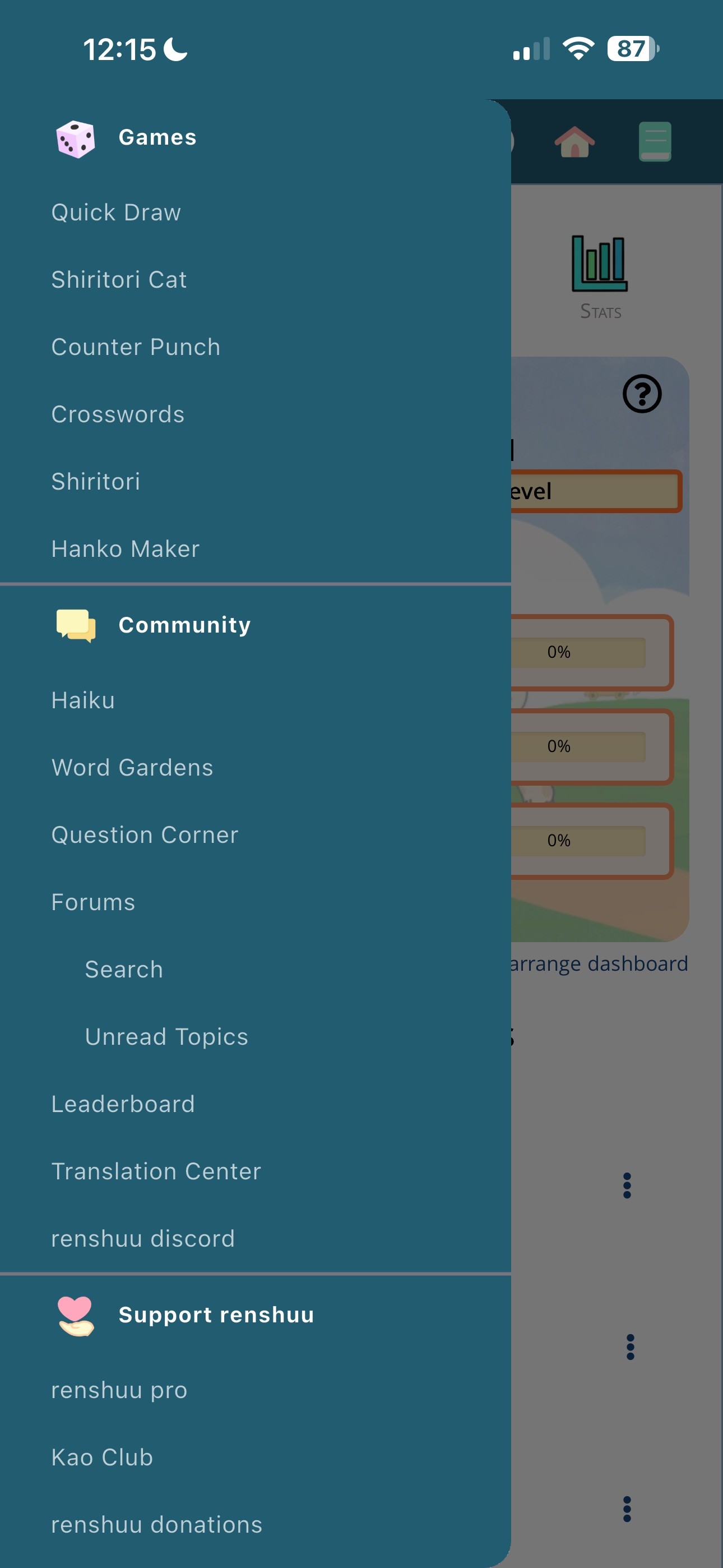
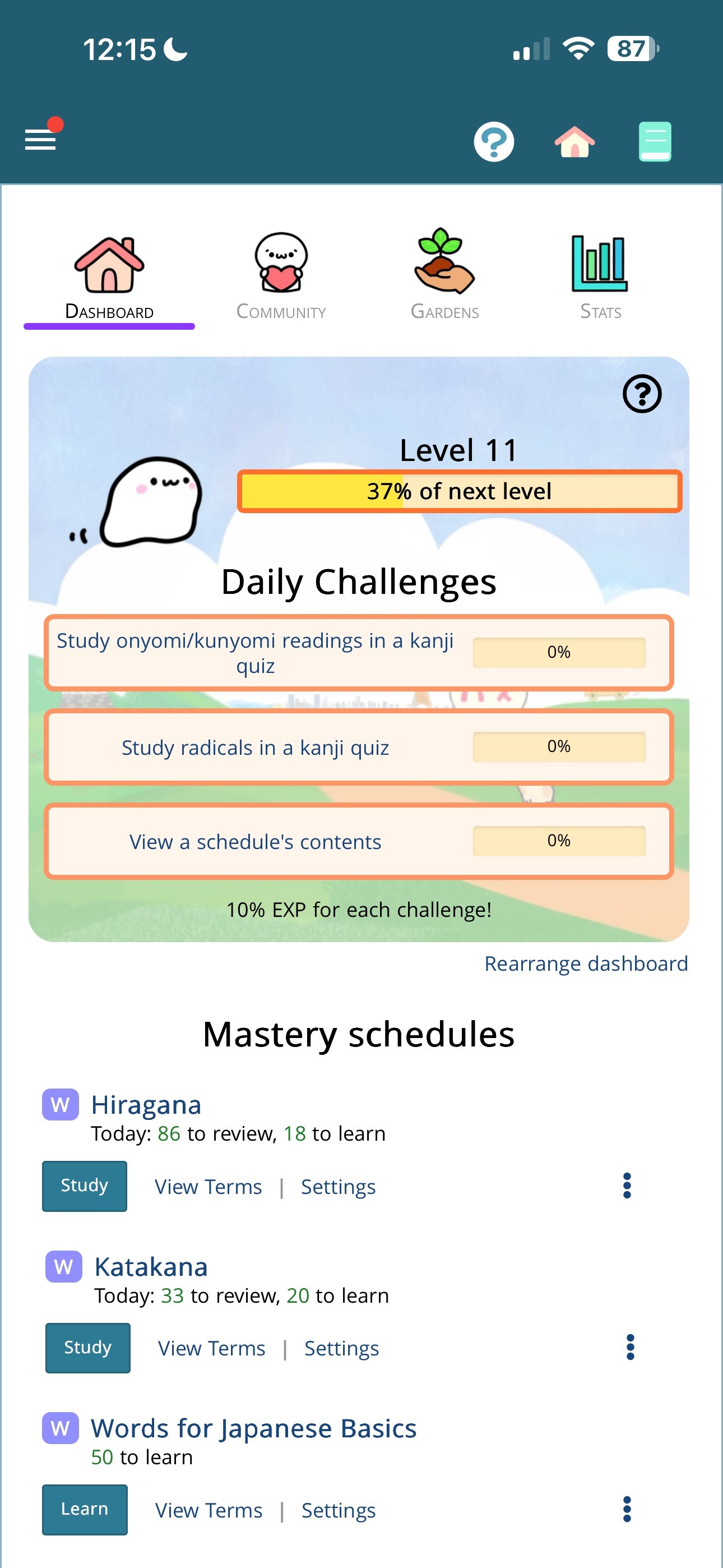
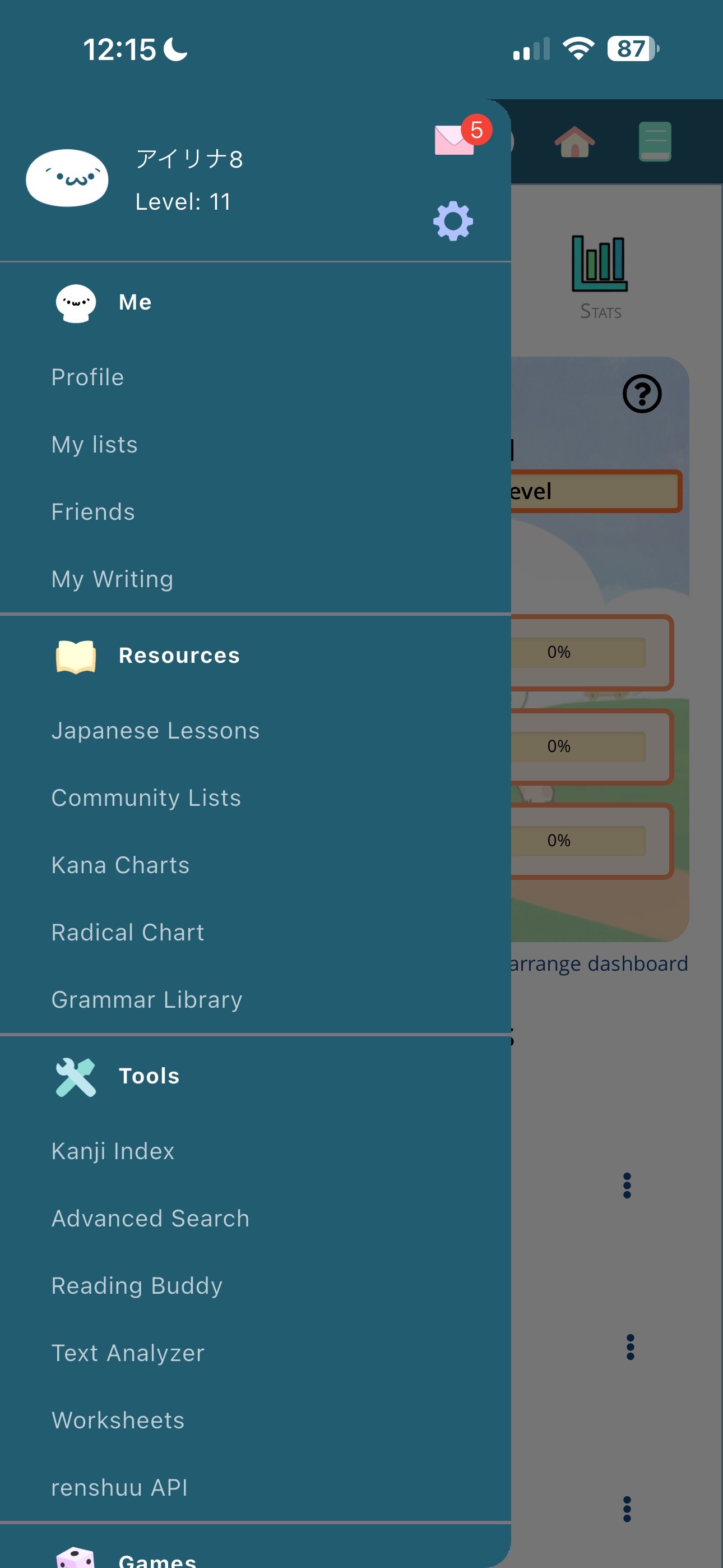
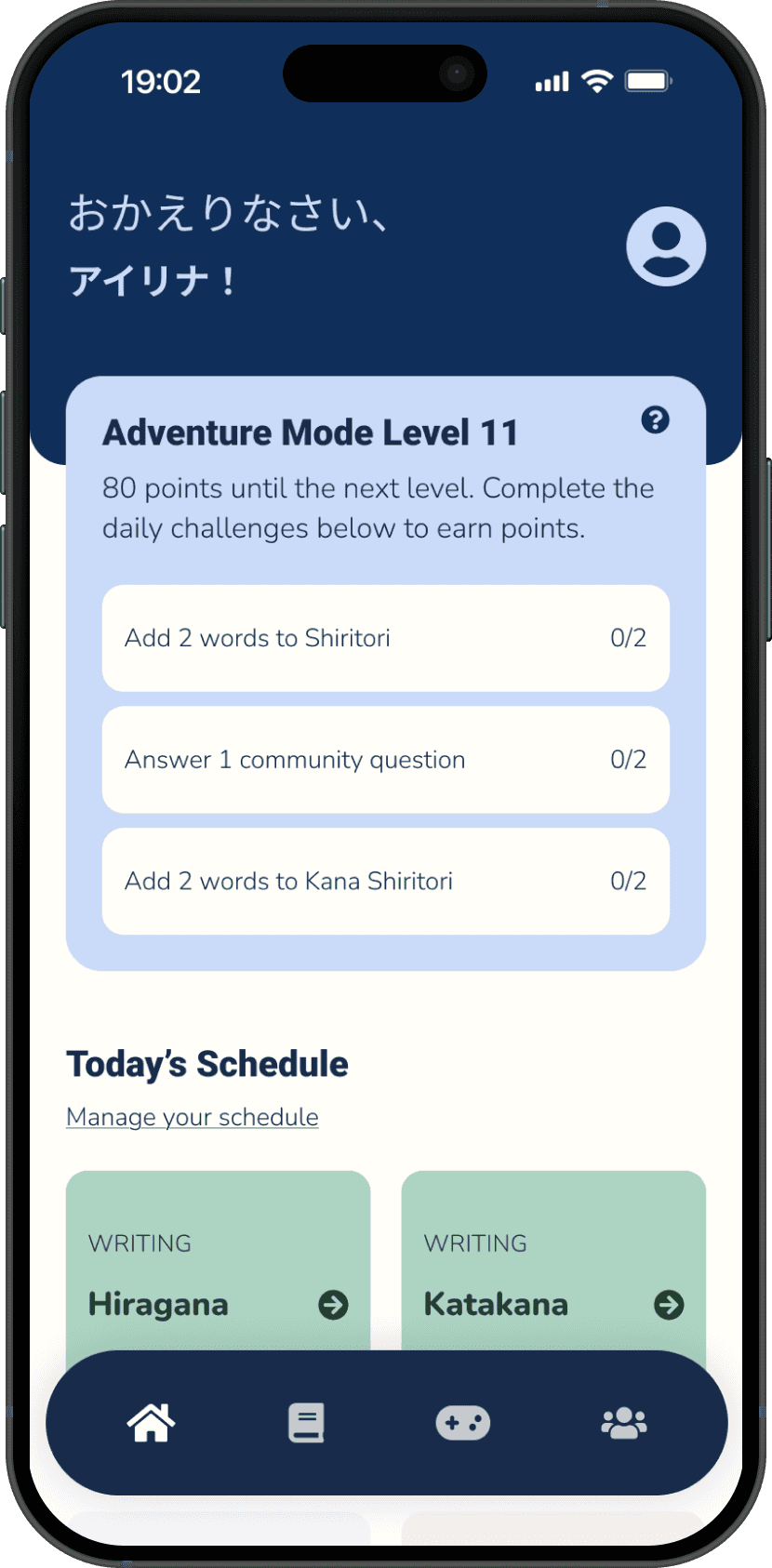
A quick look at Renshuu's navigation and homepage. The content is partially spread across the four home tabs and the pictured menu, with some links accessible elsewhere.

A quick look at Renshuu's navigation and homepage. The content is partially spread across the four home tabs and the pictured menu, with some links accessible elsewhere.

Solution Preview

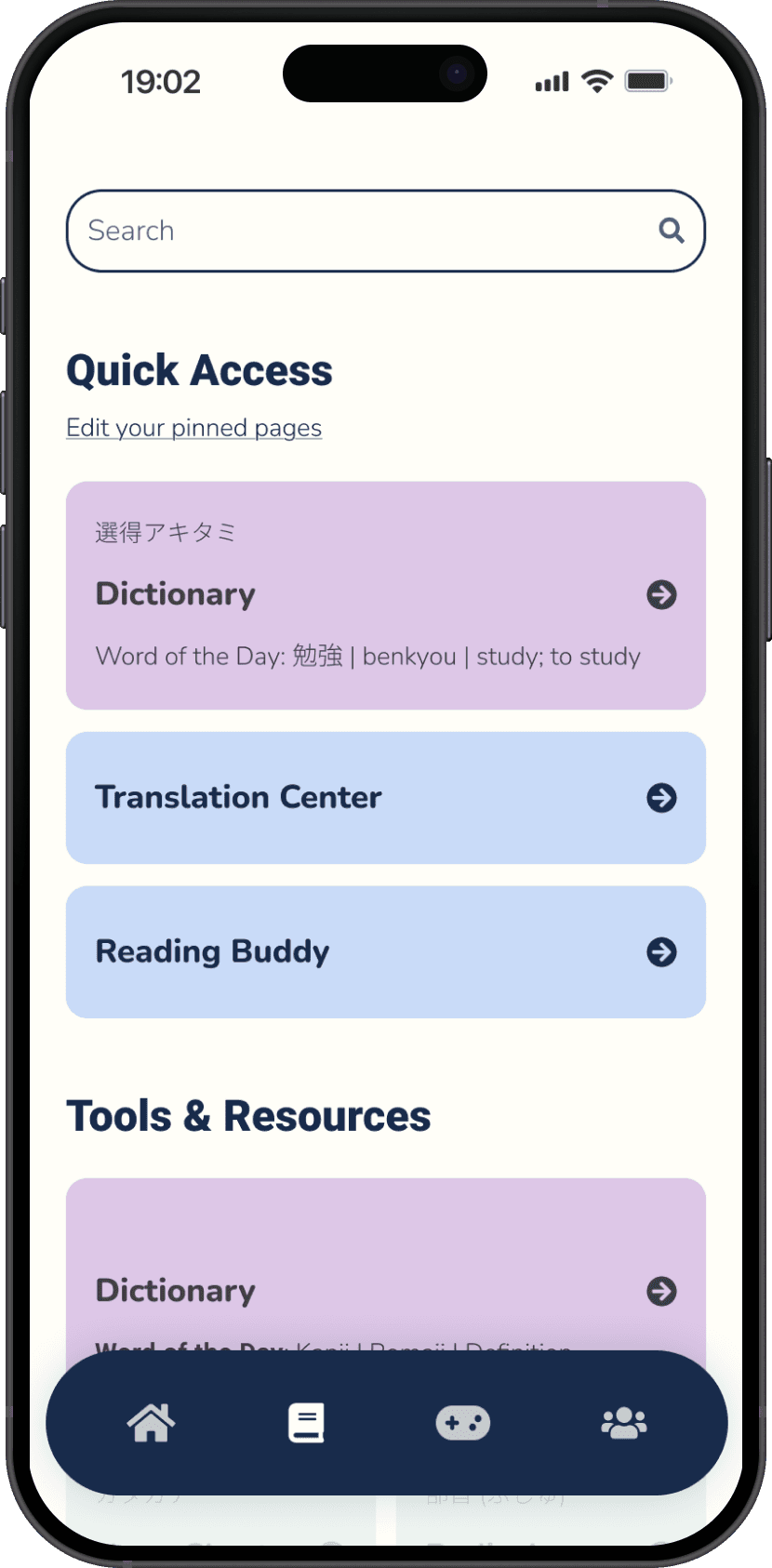
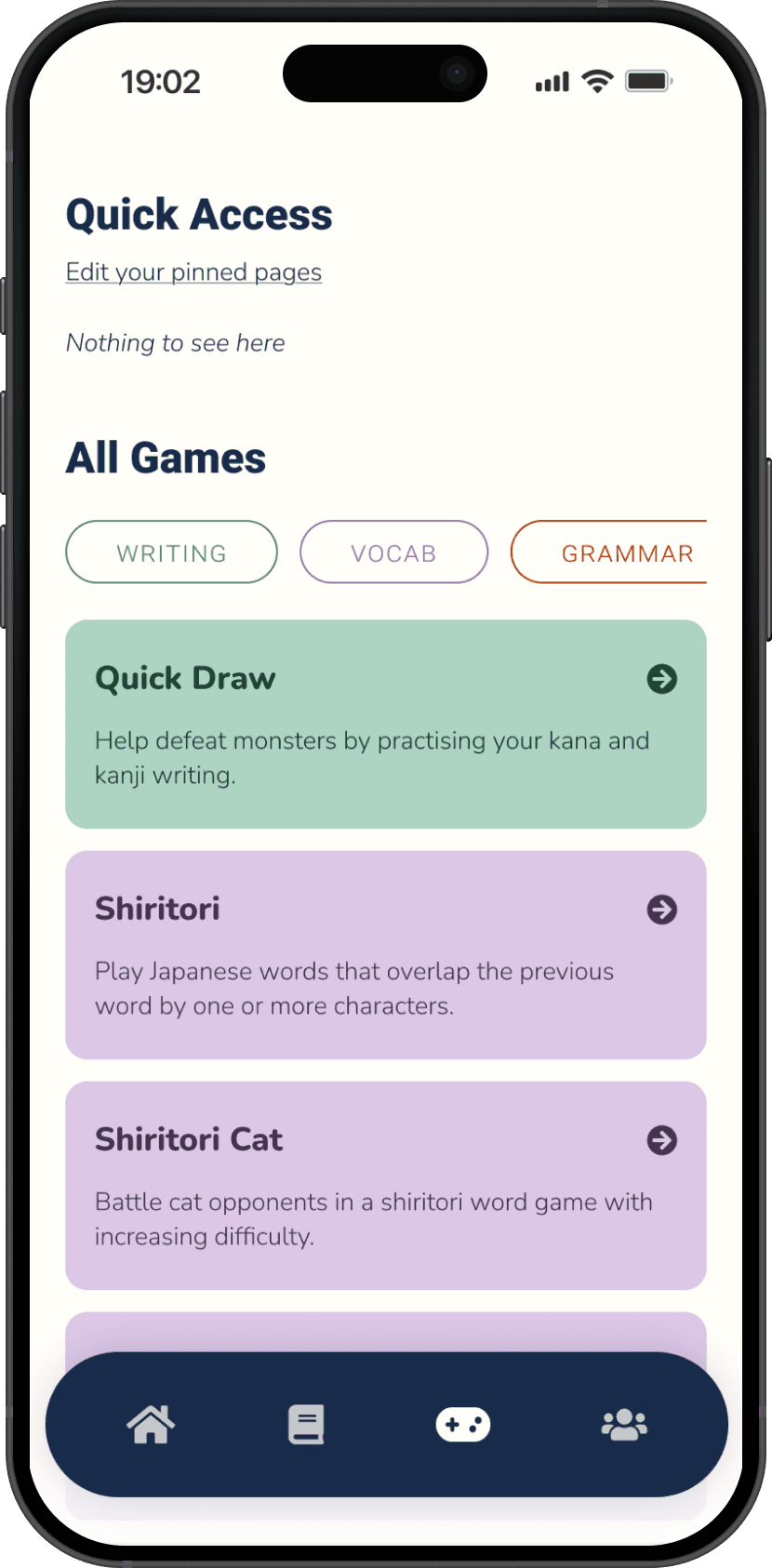
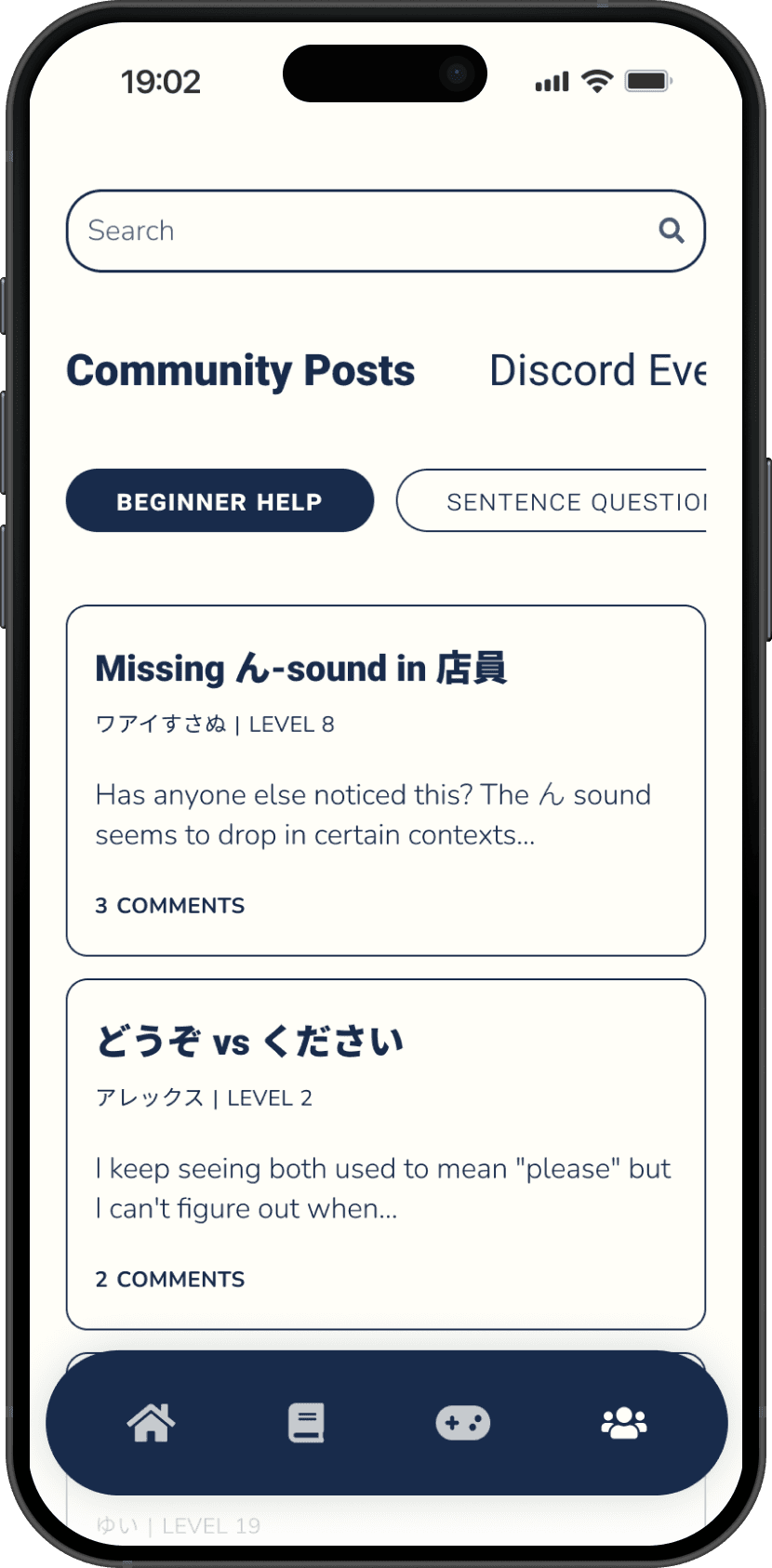
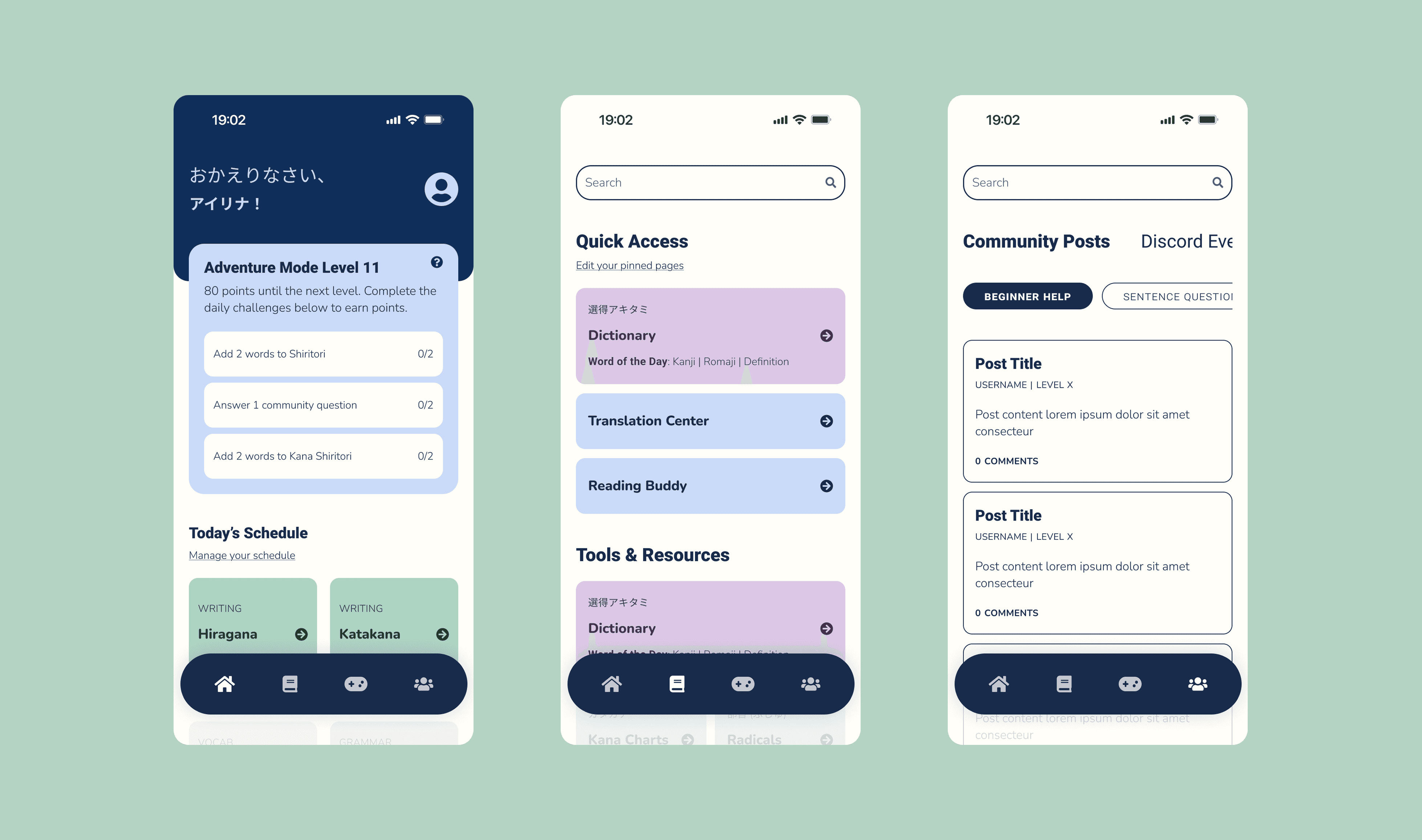
An Updated IA and Interface

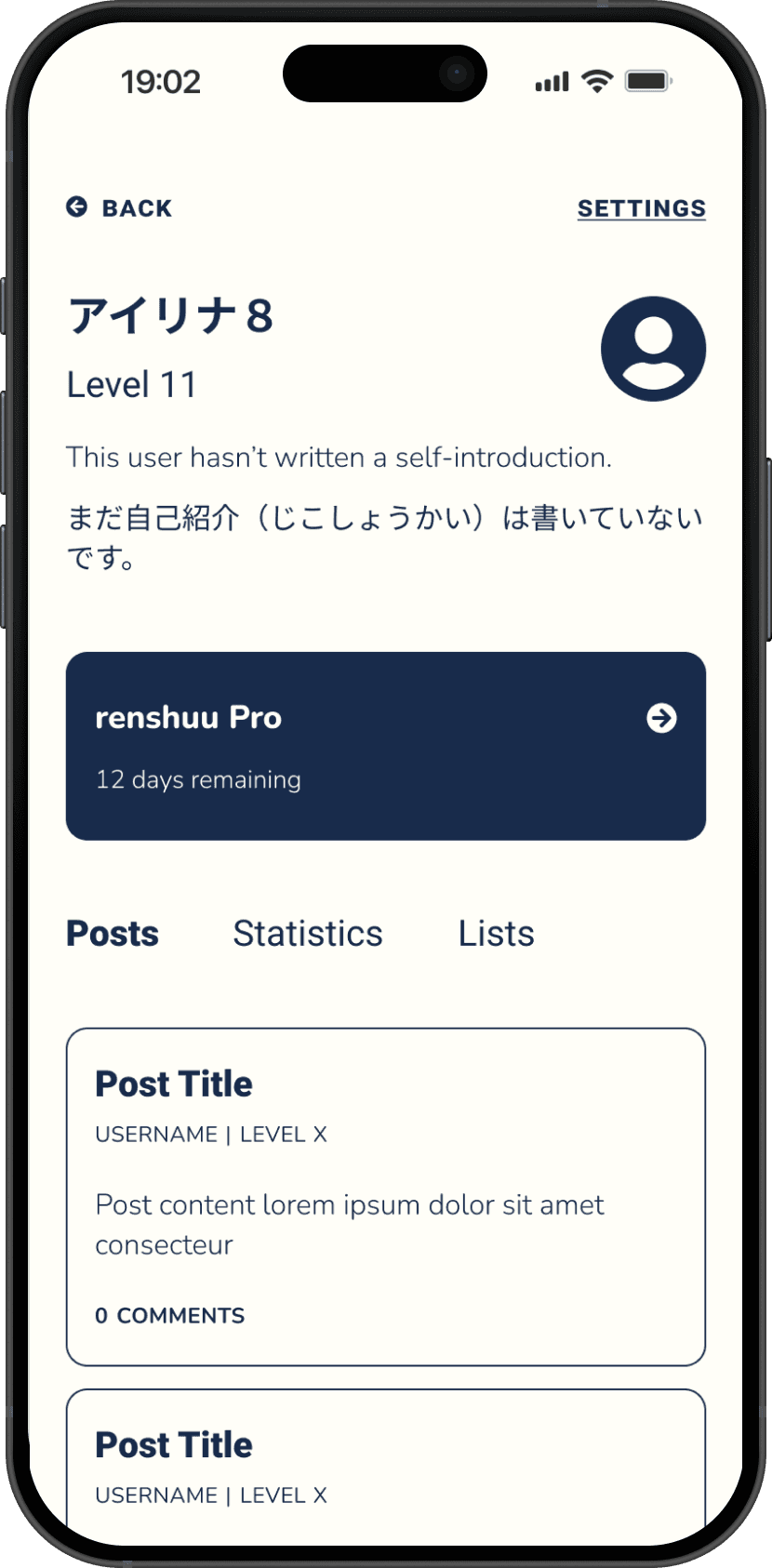
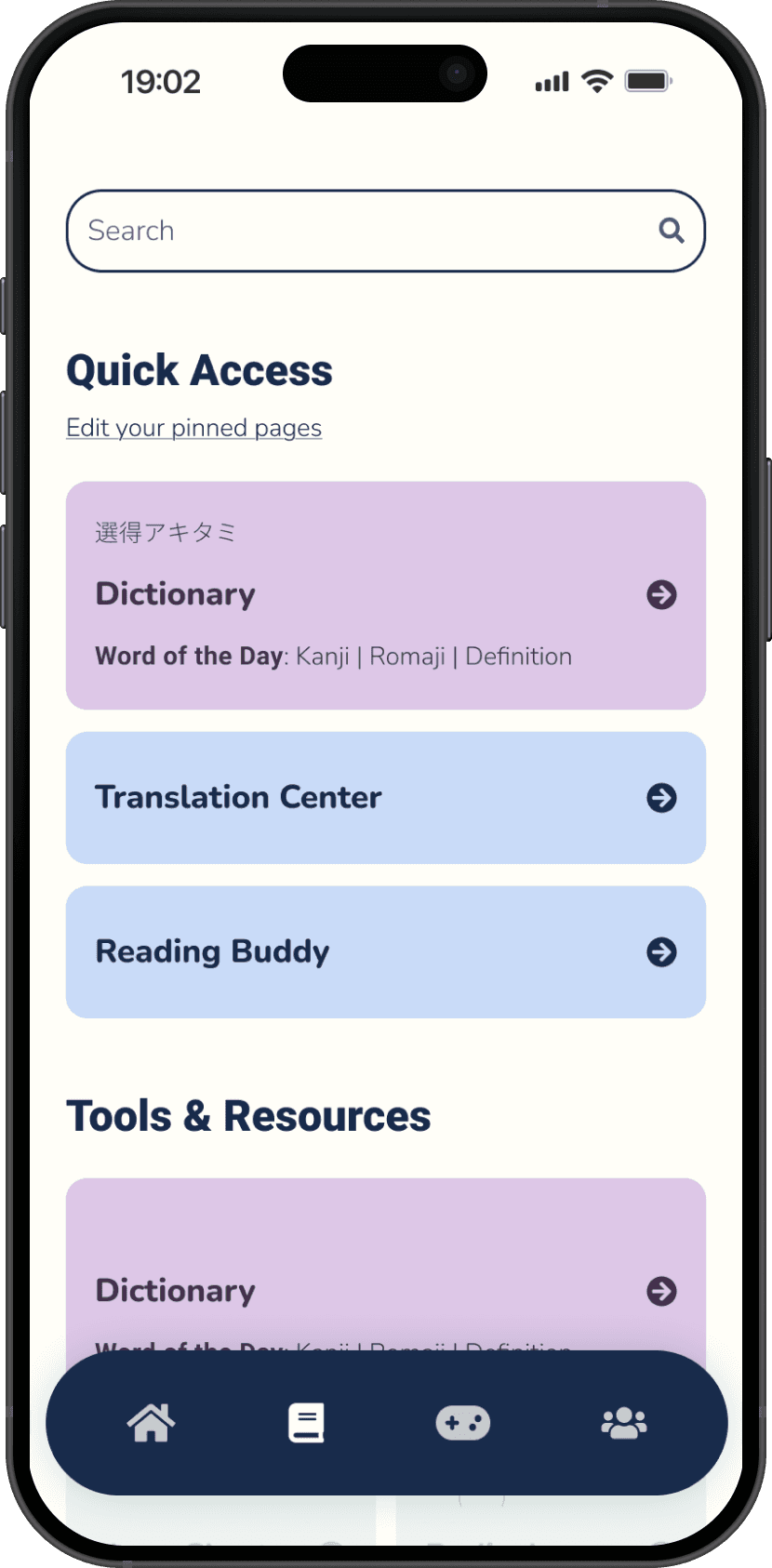
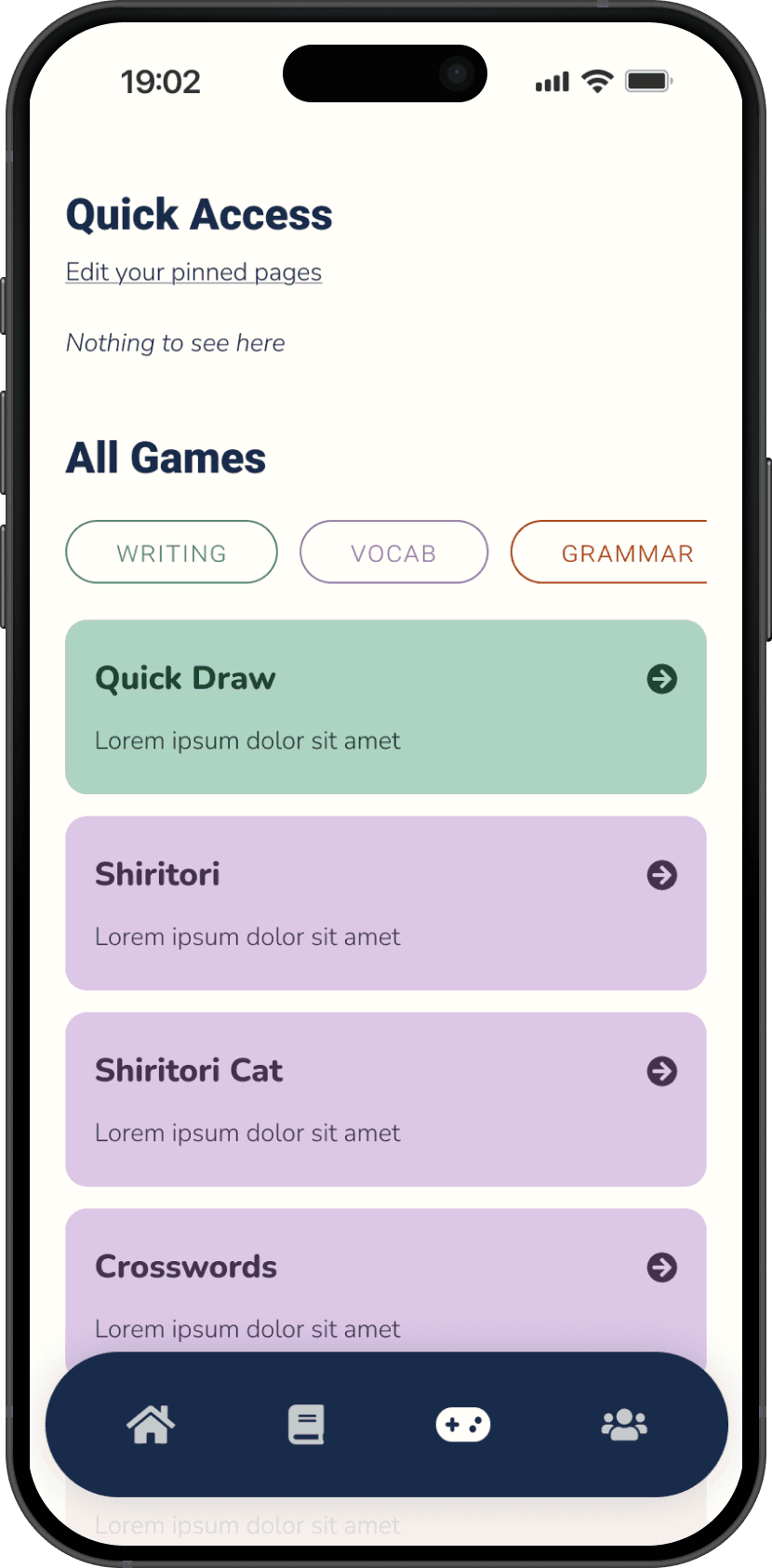
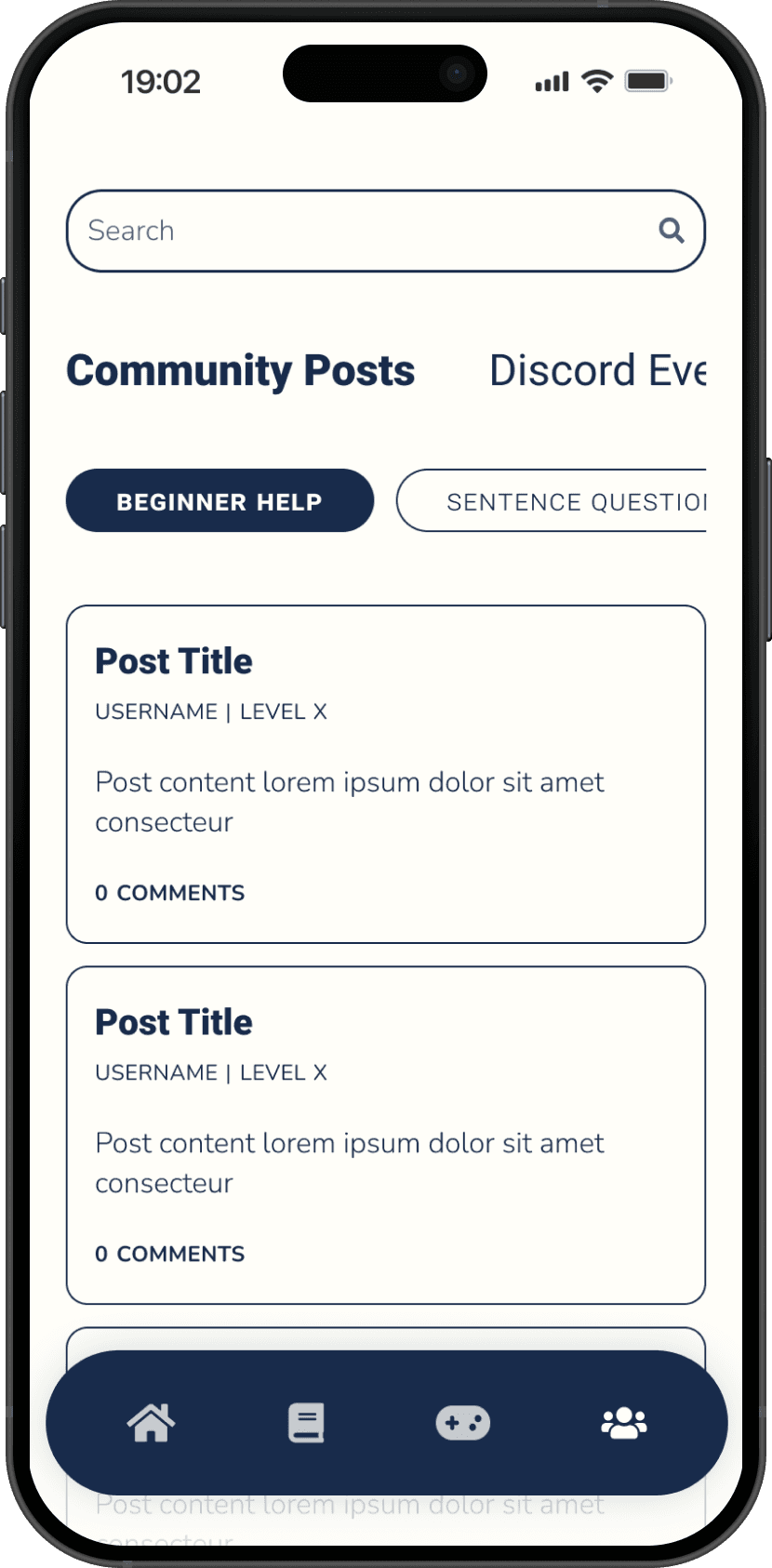
A restructured IA and interface designed to focus users' cognitive effort on learning Japanese, informed by IA tests and user interviews.
Ideating

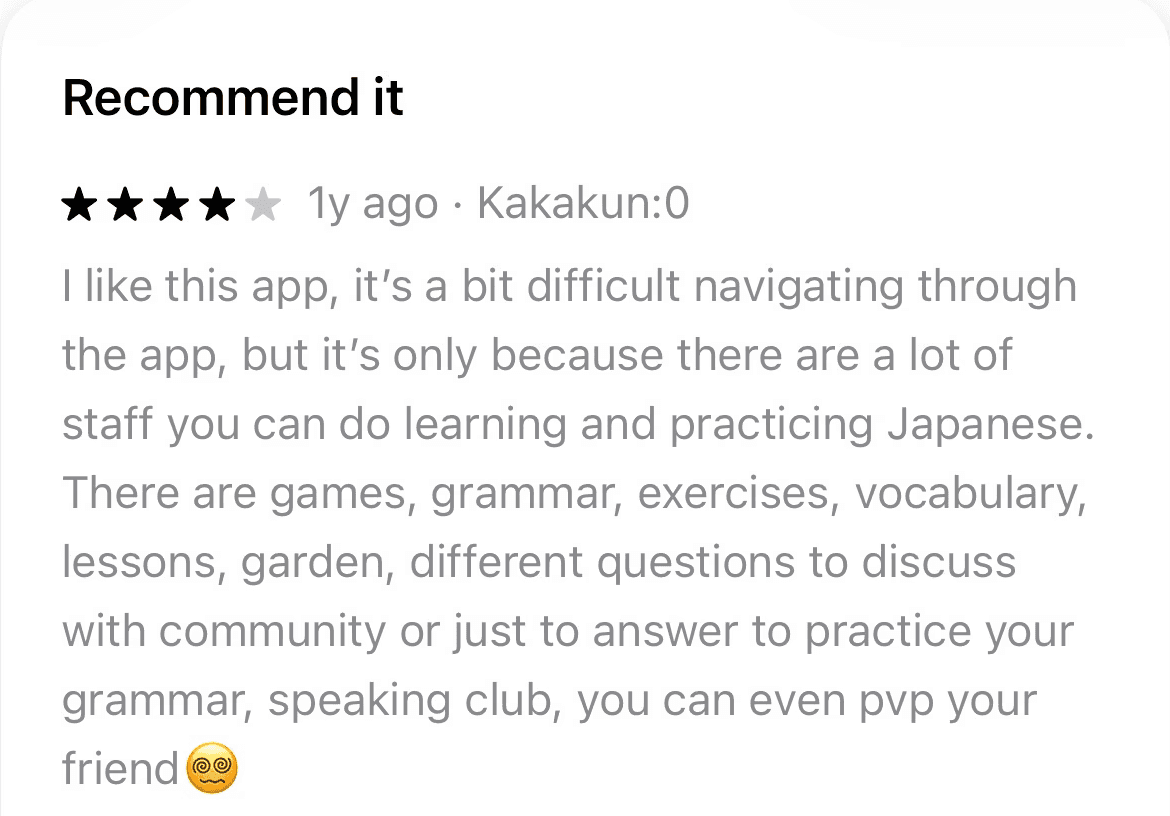
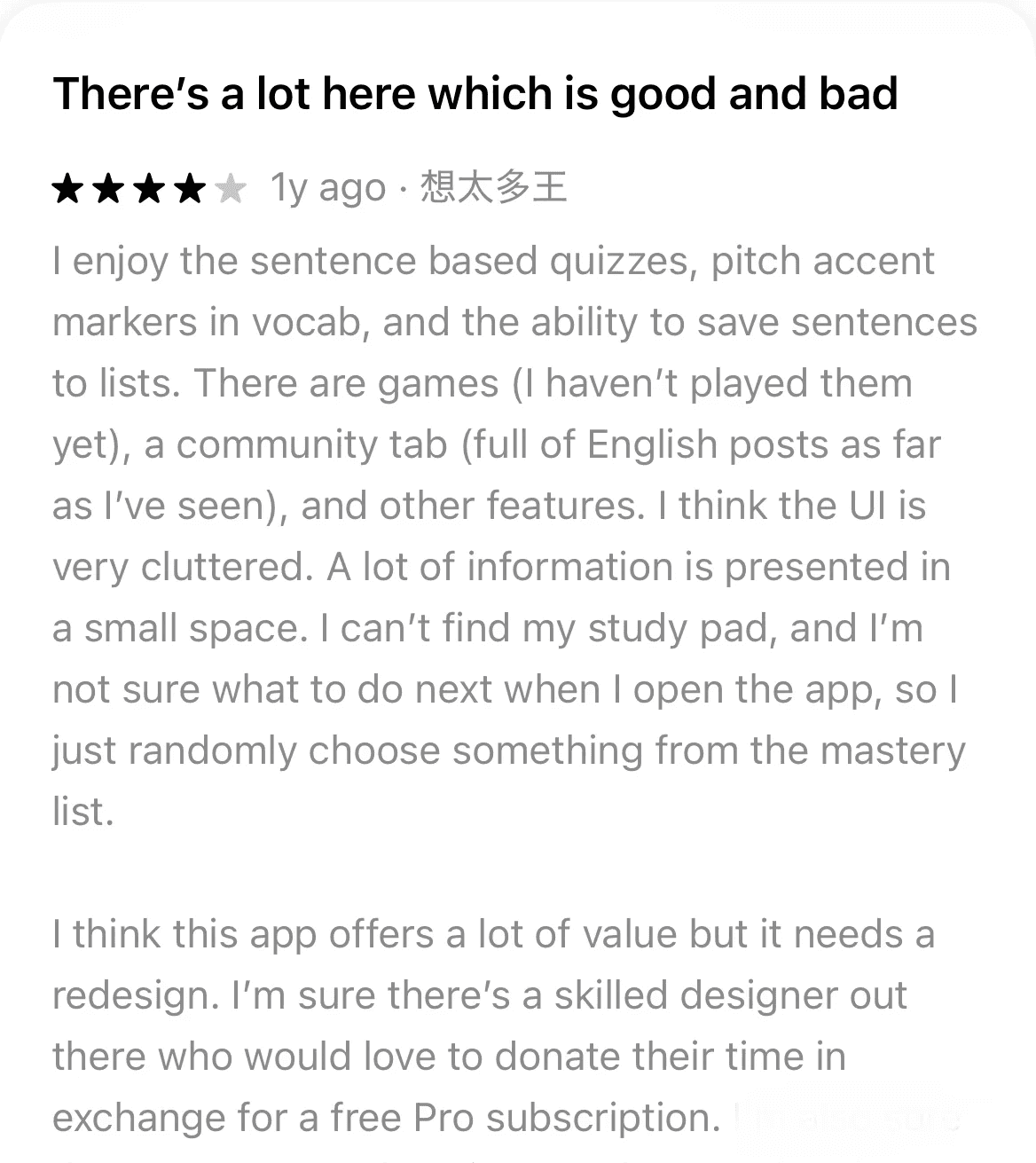
What are current users saying?
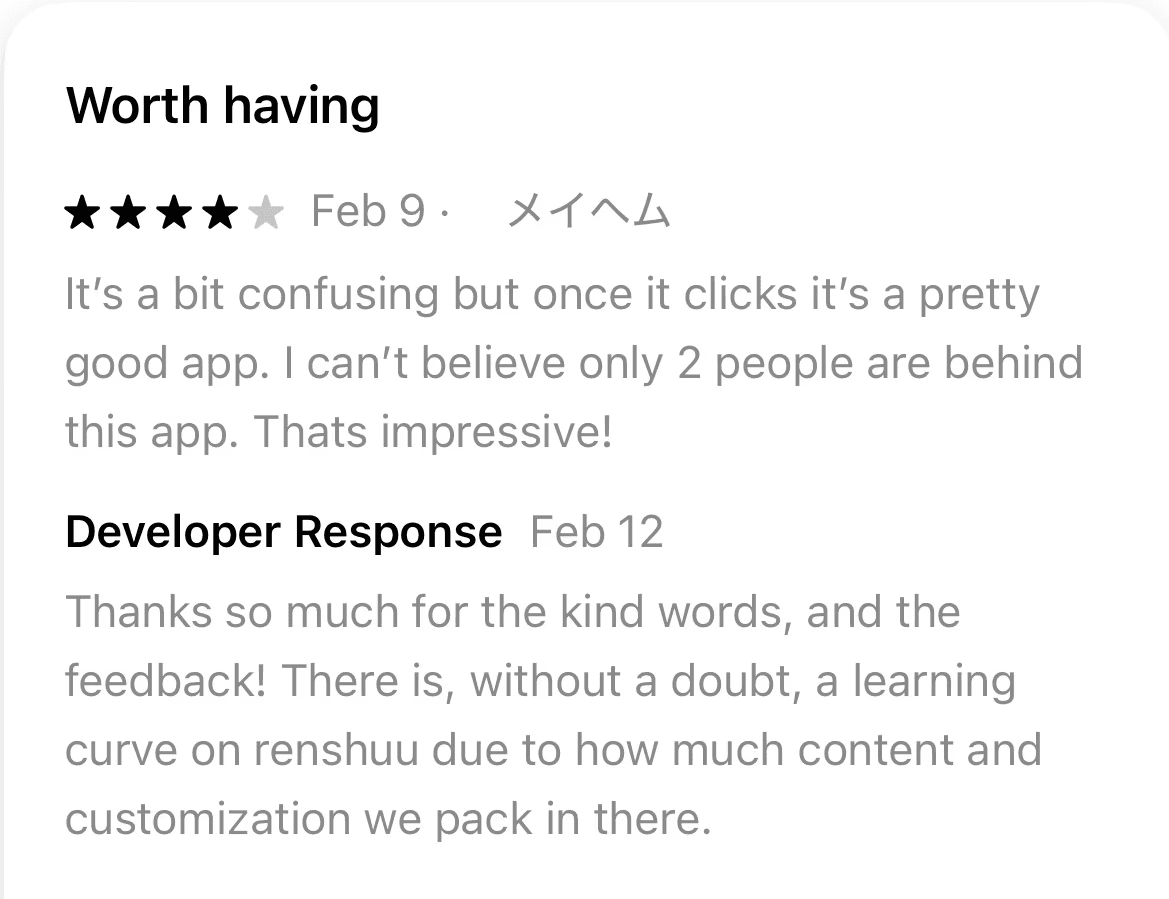
User feedback confirms the previously stated difficulties.

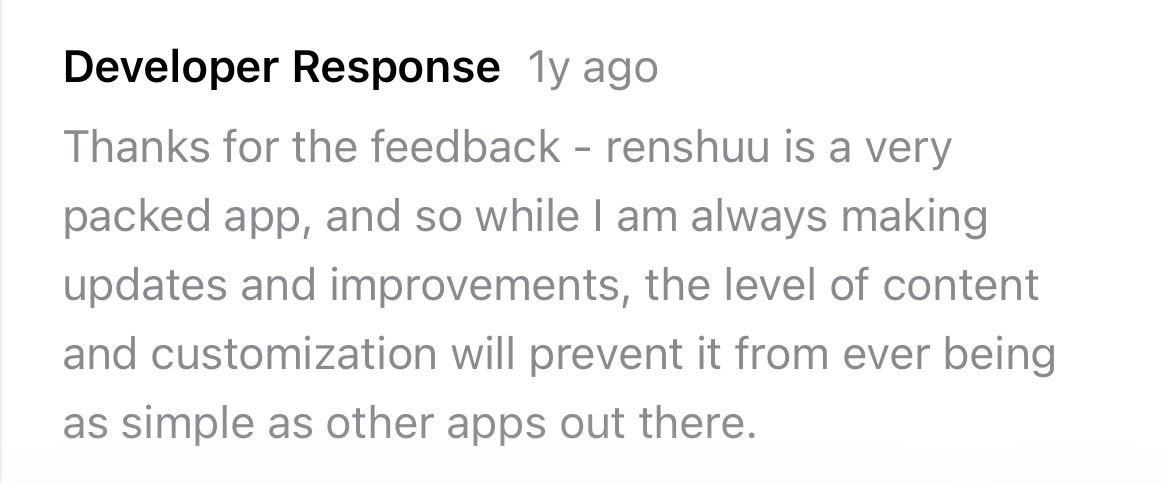
The developer also believes that the level of content and customization within the app limits the simplicity its UI can achieve. Perhaps this ends up being the case, but let’s dive a little deeper. 

An interface that may ask for more cognitive effort in navigation than in studying can work against the goals of Japanese-language students.

Testing

Understanding users' mental models with a card sort

Given the primary issue was navigation and organization, I decided to start by creating a content inventory. I then conducted a hybrid card sort via ProvenByUsers, along with a follow-up survey. A total of four participants completed the study.

43 cards

The copy for each card was taken directly from the existing application. The only amendment was adding brief explainers for Japanese-specific content, such as "Hiragana is a Japanese writing script."

43 cards

The copy for each card was taken directly from the existing application. The only amendment was adding brief explainers for Japanese-specific content, such as "Hiragana is a Japanese writing script."

7 groups

The following categories were provided, based on the existing app: Me, Community, Resources, Support Us, Games, Tools, and Unsure. Users were able to rename categories, create their own categories, and add up to two subcategories.

finding 01

clear card placements

16 cards were unanimously placed in their respective groups.

11 other cards had a 75% majority of users agreeing on the group placement, while 10 had 50% majorities.

finding 01

clear card placements

16 cards were unanimously placed in their respective groups.

11 other cards had a 75% majority of users agreeing on the group placement, while 10 had 50% majorities.

finding 01

clear card placements

16 cards were unanimously placed in their respective groups.

11 other cards had a 75% majority of users agreeing on the group placement, while 10 had 50% majorities.

finding 02

lack of clarity between "resources" & "tools"

10 cards had placements split only across those two groups. All users noted this in the survey as well.

As such, I decided to combine these categories.

finding 02

lack of clarity between "resources" & "tools"

10 cards had placements split only across those two groups. All users noted this in the survey as well.

As such, I decided to combine these categories.

finding 02

lack of clarity between "resources" & "tools"

10 cards had placements split only across those two groups. All users noted this in the survey as well.

As such, I decided to combine these categories.

finding 03

need for further exploration

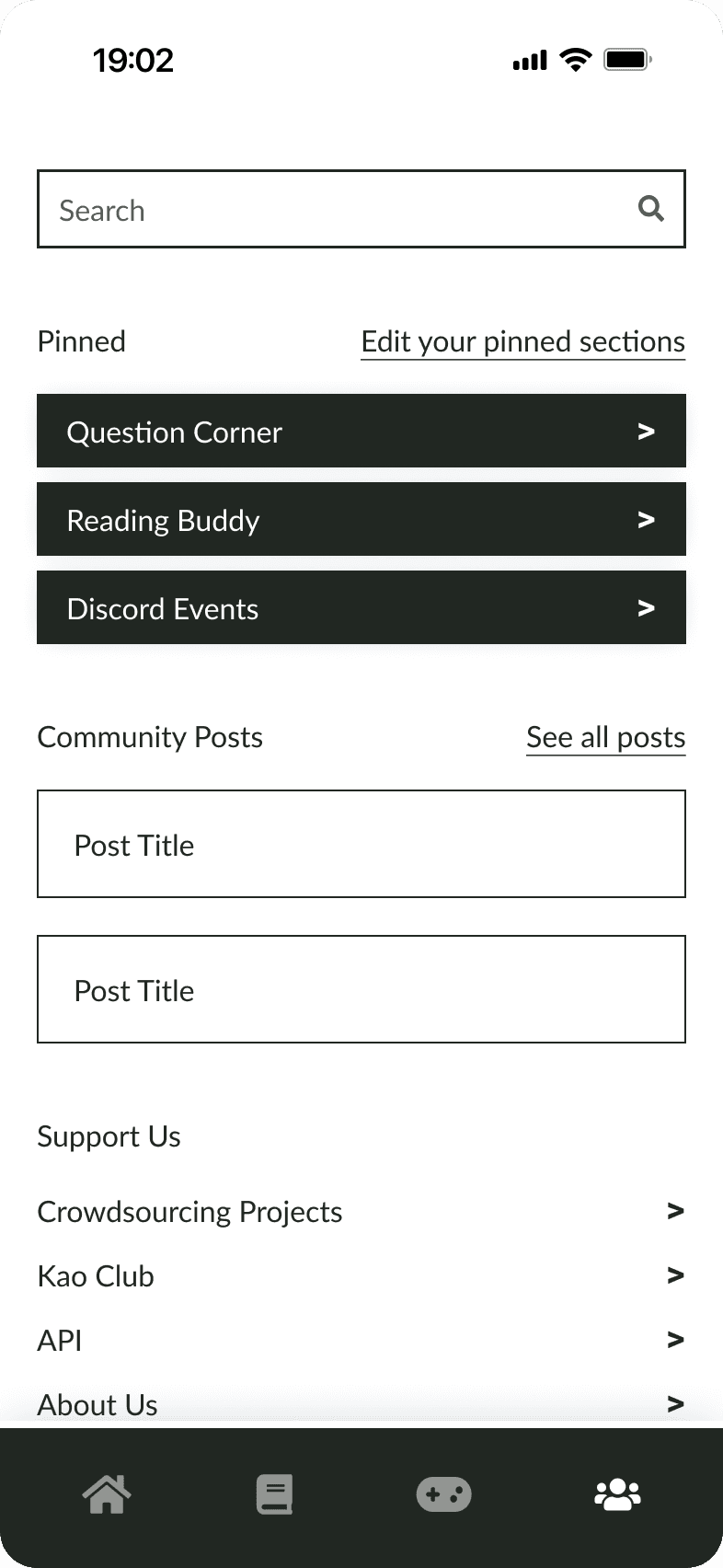
The remaining six cards had no agreement. Most of these seemed to be caused by unclear copy; for example, “Question Corner” and “Beginner Help” on their own do not offer much insight into the content of the page.

A second round of card sorts with a focus on a specific subset of cards would help explain this occurrence. For now, I took some liberties in their placement.

finding 03

need for further exploration

The remaining six cards had no agreement. Most of these seemed to be caused by unclear copy; for example, “Question Corner” and “Beginner Help” on their own do not offer much insight into the content of the page.

A second round of card sorts with a focus on a specific subset of cards would help explain this occurrence. For now, I took some liberties in their placement.

finding 03

need for further exploration

The remaining six cards had no agreement. Most of these seemed to be caused by unclear copy; for example, “Question Corner” and “Beginner Help” on their own do not offer much insight into the content of the page.

A second round of card sorts with a focus on a specific subset of cards would help explain this occurrence. For now, I took some liberties in their placement.

Designing

Creating lo-fi wireframes

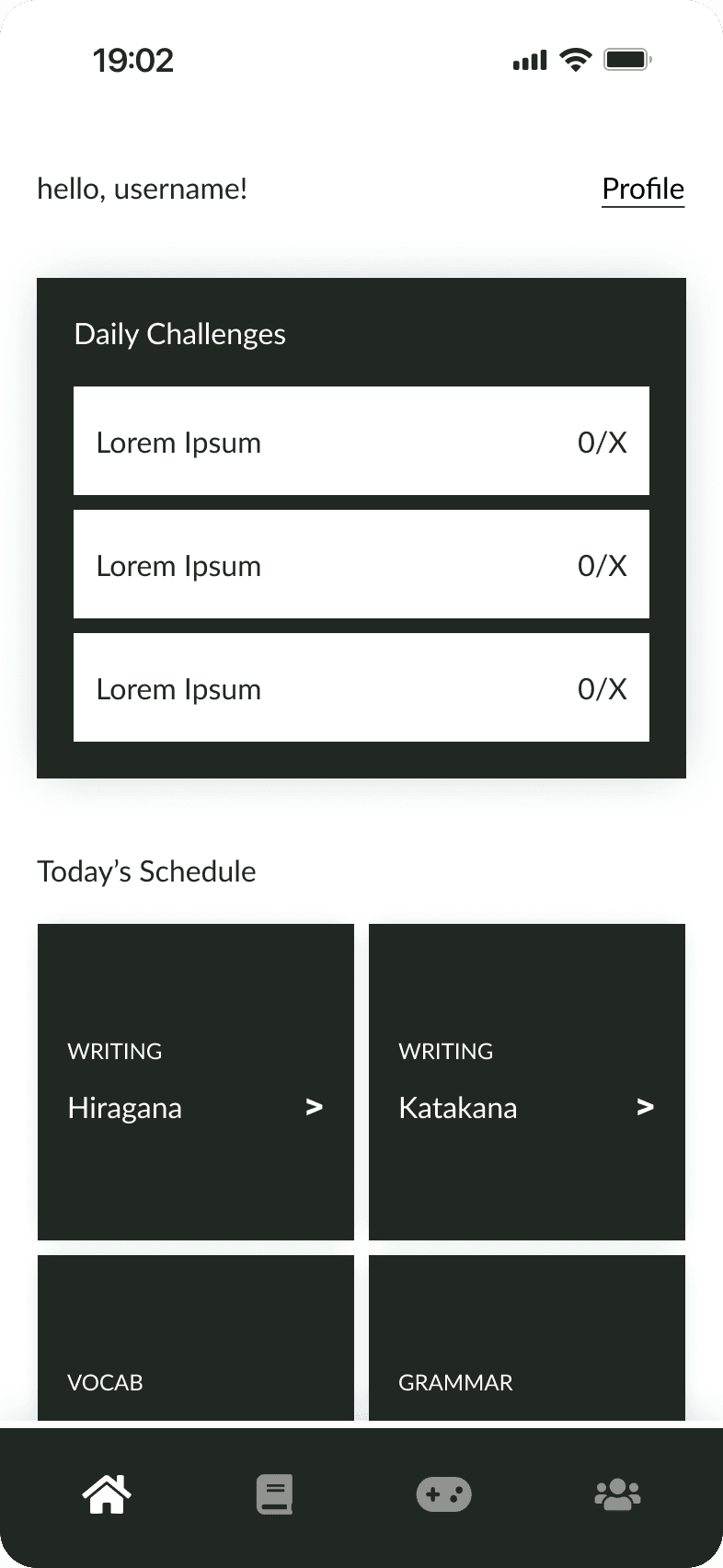
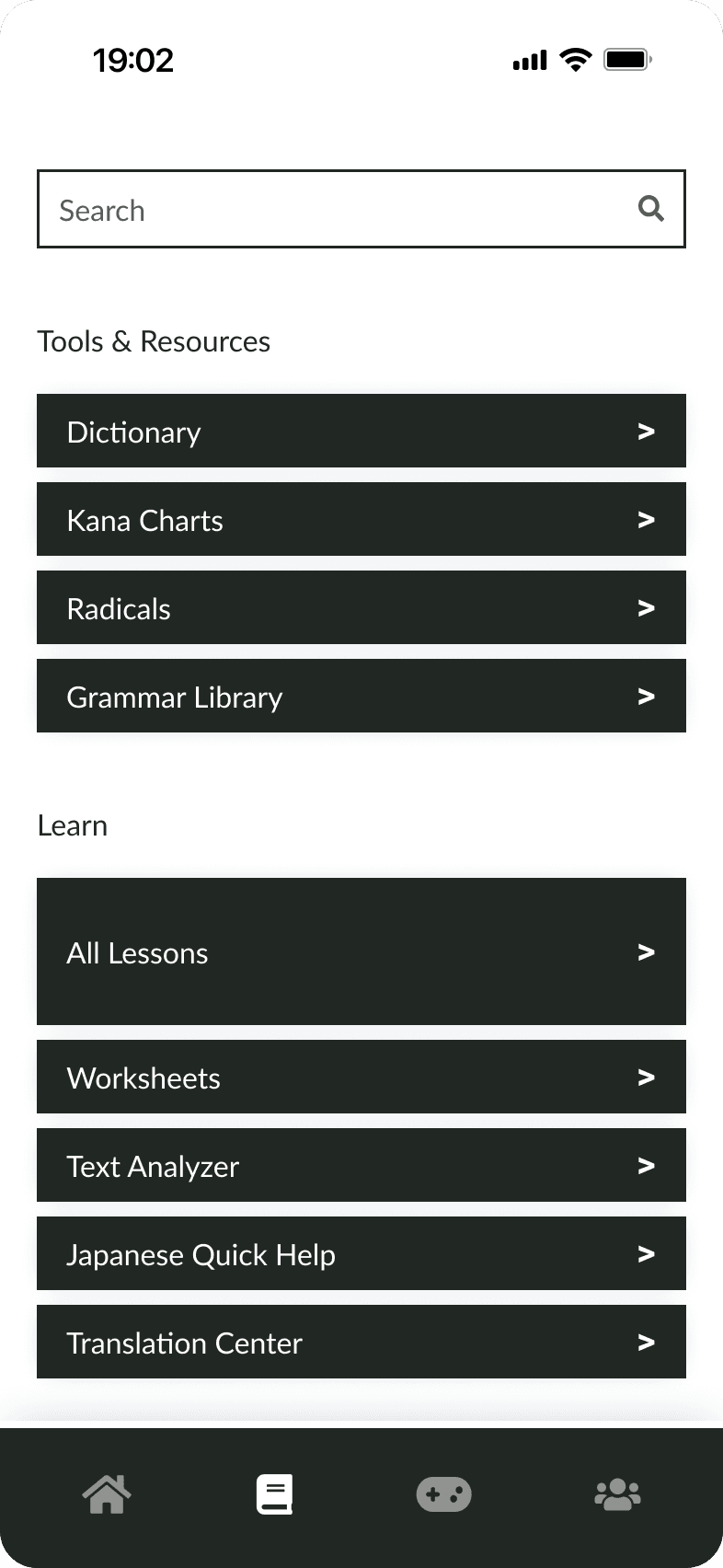
Given the strong placement agreement across the majority of cards, I chose to treat the primary navigation screens almost as full-page menus; this would provide every piece of content on the application a dedicated place to live, ideally reducing the learning curve.
testing

Validating the design direction with user interviews

I conducted a round of user interviews with three participants to evaluate the lo-fi wireframes and assess how they navigated the restructured content.

finding 01

accessible content explanations

Two users were unclear on what the adventure level and gardens were, and wanted to easily access explanations for them.

finding 01

accessible content explanations

Two users were unclear on what the adventure level and gardens were, and wanted to easily access explanations for them.

finding 02

game tab content visibility

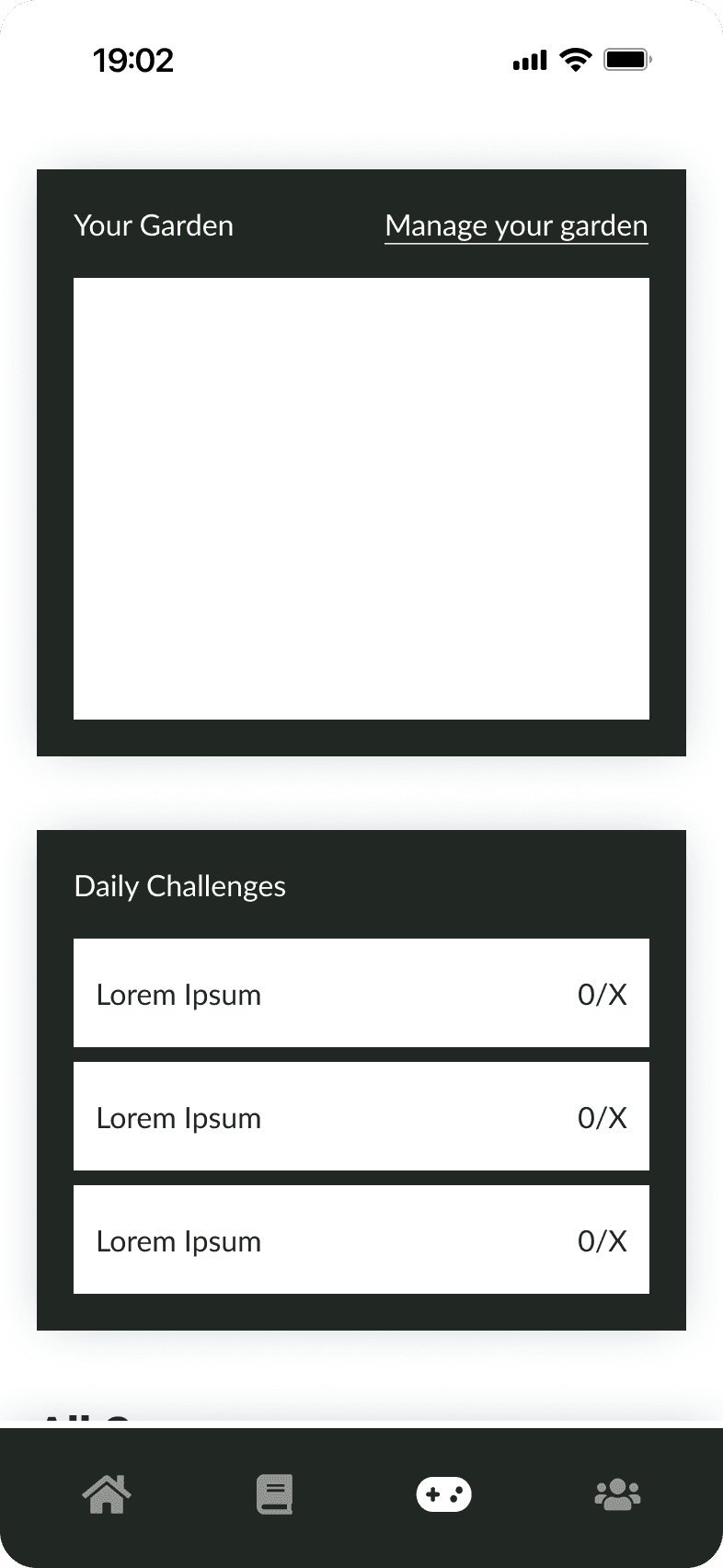
One user wanted games displayed immediately on the tab, before the garden and adventure level.

finding 02

game tab content visibility

One user wanted games displayed immediately on the tab, before the garden and adventure level.

finding 03

unclear pinned community content

All users were unsure where the pinned content was coming from, and how any unpinned channels/forums could be accessed.

finding 03

unclear pinned community content

All users were unsure where the pinned content was coming from, and how any unpinned channels/forums could be accessed.

Designing

Creating a style guide based on lesson type

Before moving to high-fidelity, I created a style guide to ensure visual consistency throughout the application.

I leveraged color to distinguish between different content types, creating an additional navigational aid for users still familiarizing themselves with the structure.
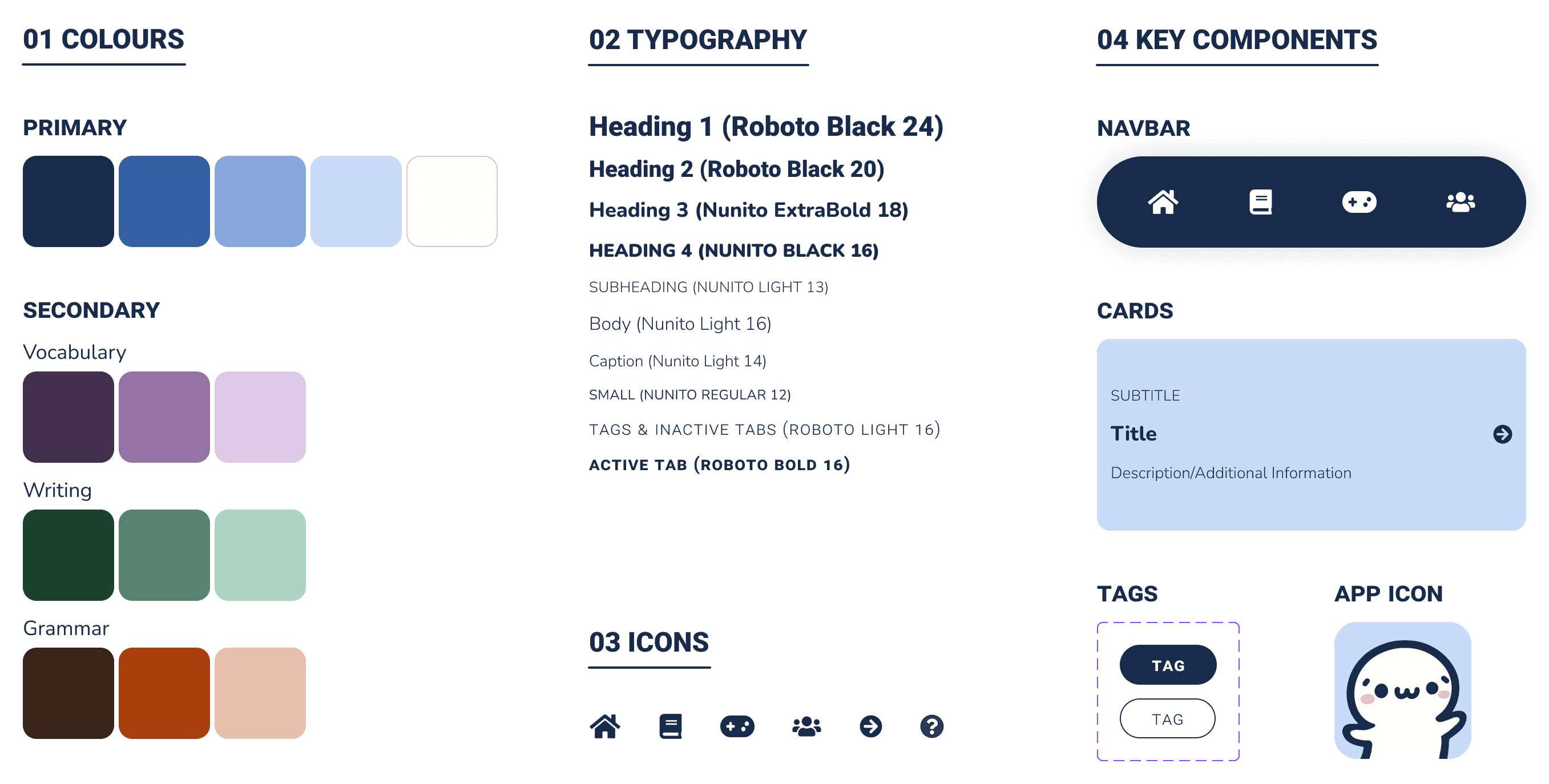
A new look, optimized for learning

Based on the findings above, I centered improvements around terminology, content visibility, and clarity: I added explanations to certain links, restructured the games page, and replaced the pinned section on the community page with scrollable tabs.

Retrospective

Takeaways

Looking at the part in relation to the whole

Managing Renshuu's extensive content did prove to be relatively challenging, as the developer anticipated! However, it wasn’t an impossible task once each page was broken down and reviewed in relation to the overall hierarchy, which the card sort was invaluable for.

Next Steps

Designing for immersion

Since my primary focus so far was to ensure all content is transferred intuitively, I’d love to prioritize the UI/visual design in the next iteration.

The developer stated he wanted to create a Japanese-learning "world," so ensuring immersion and user engagement through the UI is a core goal of the product. Making the design more interesting and inviting, and reincorporating the mascot imagery would be some potential steps towards that goal.

Additional testing

A second card sort would help confirm the placement decisions I made for ambiguous cards. Additionally, a second usability test would validate the hi-fi changes and surface any remaining issues. The current sample size limits generalizability, so further testing is the clearest next step.

Measuring success

If these updates launched, I would love to evaluate a range of metrics, including but not limited to: time on task, task success rate and error frequency, search vs. navigation, conversion and customer retention rates, user confidence ratings, and SUS and NPS.
thanks for stopping by!

made with <3

© 2026 prerna awasthi

LET'S CONNECT

thanks for stopping by!

made with <3

© 2026 prerna awasthi

LET'S CONNECT